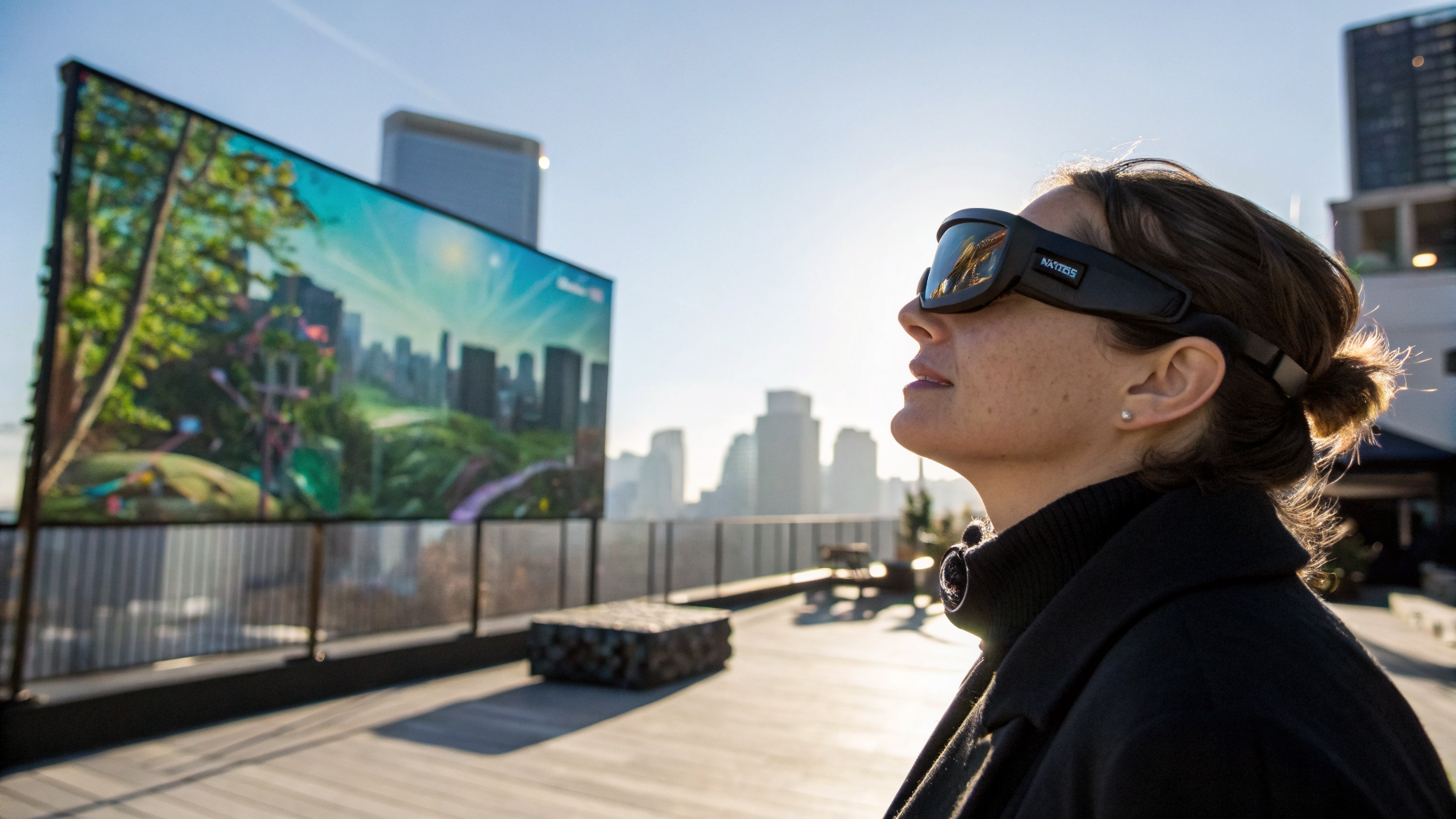
I’ve been burned by cheap AR glasses before. But these…
Let’s be honest: the phrase “budget AR glasses” has historically been an oxymoron, right up there with “jumbo shrimp” and “Microsoft Teams fun.” I’ve tested dozens of pairs over the last decade — from clunky developer kits that required a backpack full of cables to polished but overpriced headsets that cost more than a used Honda Civic. So when Xreal (formerly Nreal) announced the XBX a01+ for a mere $299, I rolled my eyes. Here we go again, I thought. Another pair of glorified sunglasses with a blurry display and a battery life measured in sad glances.
But then I actually put them on. And, well… I owe Xreal an apology.
The XBX a01+ is, without exaggeration, the best pair of budget AR glasses I’ve seen to date. Not “for the price.” Not “considering the segment.” Just flat-out impressive. The headline feature here is brightness — these things are astoundingly luminous. We’re talking 600 nits peak brightness, which in plain English means you can actually use them outdoors without looking like a squinting raccoon. I tested them on a sunny Brooklyn rooftop, and the image held up. No washed-out pastels. No fighting with shadows. Just crisp, colorful overlays that felt like they belonged in the real world, not some dim, corporate showroom.
What’s in the box? (Spoiler: not much, and that’s okay)
Xreal keeps it refreshingly simple. The packaging contains the glasses themselves, a USB-C cable, a padded carrying case, and a cleaning cloth. No external battery pack. No proprietary dongle. No “mandatory companion app” that requires three accounts and a blood oath. You plug them into any USB-C device that supports DisplayPort Alt Mode — think recent iPhones, Samsung Galaxy phones, some laptops, and even the Steam Deck — and they just work. The glasses draw power from the host device, so there’s no separate charging to worry about. It’s the kind of minimalism that makes you wonder why other companies insist on shipping a Peloton-sized box for a pair of spectacles.
The build quality is decent for the price. The frames are mostly plastic, but they don’t feel brittle. The arms are flexible enough to survive a drop from desk height. At 79 grams, they’re light enough to wear for a full movie without your nose feeling like it’s hosting a hostage situation. Compare that to the 100+ grams of most competitors, and you’ll notice the difference within minutes.
Brightness: the real MVP
I want to dwell on the brightness because it’s the single biggest differentiator here. Most budget AR glasses top out at around 200-300 nits, which is fine for a dark room but useless in daylight. The XBX a01+ hits 600 nits, and it’s not just a spec sheet number. The image stays vivid and legible even when the sun’s behind you. I watched a 4K nature documentary in a park at 2 PM, and the colors popped — greens, blues, even the orange of a sunset scene felt punchy without being oversaturated.
This matters because AR glasses aren’t just for couch potatoes. They’re for navigation, for work, for overlaying information on the go. If they only work indoors, they’re basically fancy monitors strapped to your face. Xreal finally cracked the code on outdoor usability at a price point that doesn’t require a second mortgage.
Display quality: micro-OLED magic
The XBX a01+ uses a pair of micro-OLED panels, each delivering 1920×1080 per eye. That’s a 46-degree field of view, which is narrower than something like the Xreal Air 2 Ultra (52 degrees), but honestly, for casual use — watching videos, mirroring your phone screen, light productivity — it’s fine. The pixels are packed tightly enough that I couldn’t see any screen-door effect, even when reading small text. The image is sharp, with good contrast ratios that make blacks look properly black, not muddy gray.
One thing that tripped me up initially: the glasses project a virtual screen that appears about 4 meters away, roughly the size of a 130-inch display. That’s a lot of real estate. But it takes a few minutes for your brain to adjust. The first time I put them on, I instinctively reached out to touch the floating window. I looked like a mime having a seizure. But once I got used to the focal distance, it felt surprisingly natural.
Comfort and design: almost forgettable (in a good way)
The design is understated — black plastic frames with a slightly chunky bridge. They look like thick-rimmed hipster glasses, not like something from a sci-fi movie. That’s a compliment. Xreal resisted the temptation to add gamer LEDs or weird angular vents. They look like normal eyewear, which means you won’t feel self-conscious wearing them in a coffee shop. Well, not as self-conscious.
Comfort is a mixed bag. At 79 grams, they’re light, but the weight distribution isn’t perfect. The nose pads are standard and adjustable, but after about two hours, I felt a slight pressure on the bridge of my nose. Nothing unbearable, but not something I’d want for a transatlantic flight. The included silicone nose pad covers help a bit. On the plus side, the arms don’t clamp your temples, and there’s enough clearance for most prescription glasses (though you’ll need to order custom prescription lenses from Xreal if you want full correction — a $79 add-on).
Software and compatibility: where the magic… stumbles a bit
Here’s where I have to be honest with you: the software experience is still a work in progress. The glasses work as a plug-and-play external display for any USB-C device with DP Alt Mode. That part is flawless. But Xreal’s own Nebula AR software — which enables spatial computing features like multiple virtual screens, 3D object anchoring, and hand tracking — is limited to a handful of Android phones and the iPhone 15 Pro series. If you’re using a Pixel 8 or a Samsung Galaxy S23, you’re fine. If you’re on a OnePlus or a Xiaomi, you might be out of luck.
I tested Nebula on a Galaxy S23 Ultra, and it worked reasonably well. The interface is clean, with a floating home screen that lets you pin apps and windows in 3D space. You can resize windows, move them around, and even watch a YouTube video while browsing Chrome. The hand tracking is basic — you use a finger pinch to click and drag — but it’s responsive enough for casual use. The problem? It’s still buggy. Apps crash occasionally. The spatial anchoring sometimes drifts, so that YouTube window you pinned to the left of your desk might slowly slide to the right over ten minutes. It’s not a dealbreaker, but it’s a reminder that we’re still in early-adopter territory.
For most people, the glasses will be used as a wearable external monitor. That’s where they shine. I connected them to my Steam Deck and played Hades for an hour. The latency was imperceptible, the image was bright, and I didn’t have to hunch over a tiny screen. I also used them with a MacBook Air to code on a virtual 100-inch display while lying on my couch. It’s liberating, if a little absurd.
Battery life and heat: the hidden costs
Since the glasses draw power from the host device, battery life depends entirely on what you plug them into. With a phone, expect about 2-3 hours of use before your phone dies. With a laptop, you’ll drain the battery faster but still get a full work session. There’s no battery pack in the box, which keeps the price low, but you’ll want to invest in a portable charger if you plan to use them on the go. The glasses themselves don’t get hot, but the USB-C port on your phone might — I felt some warmth after prolonged use.
Audio: serviceable, not spectacular
The built-in speakers are fine for podcasts and casual video calls. They’re clear up to about 70% volume, after which they distort. They’re also open-back, meaning people near you will hear what you’re listening to. Not ideal for a crowded subway. Use Bluetooth earbuds if you want privacy. There’s no headphone jack, which is a bummer, but expected at this price point.
How does it compare to the competition?
Let’s size it up quickly:
- Xreal Air 2 Ultra ($699): Wider FOV, better software, but more than double the price. The a01+ is a better value for most people.
- Rokid Max ($439): Similar brightness, but heavier, with less comfortable nose pads. A01+ wins on weight and price.
- Viture One ($549): Good for gaming, but the proprietary charging cable is annoying. A01+ is simpler.
- Apple Vision Pro ($3,499): Not even in the same category. The a01+ is for people who want AR today without selling a kidney.
The verdict: who should buy these?
The Xreal XBX a01+ is not perfect. The software is half-baked. The field of view is modest. The audio is mediocre. But for $299, you get a pair of AR glasses that are comfortable, bright enough for outdoor use, and dead simple to set up. They’re the first budget AR glasses I’d actually recommend to a friend — not as a toy, but as a tool.
If you’re a developer who wants to prototype AR apps, look elsewhere (the Air 2 Ultra is better for that). If you’re a traveler who wants to watch movies on a plane without a bulky headset, buy these today. If you’re a productivity geek who wants a portable second monitor, they’re a solid bet. Just don’t expect the full spatial computing dream to be realized out of the box — that day is still a few software updates away.
I’ve been covering this space long enough to know that hype cycles come and go. But the XBX a01+ feels different. It feels like the first time a piece of consumer AR actually delivered on its promise without making me feel like a beta tester. Bright, light, and cheap — three words that rarely appear together in this industry. Xreal pulled it off. Now let’s see if they can fix the software before the hype train leaves the station.
Original source: read the full article